Supporting Your Ibadah Journey, Every Day.
Read the Quran in a clean list or a printed-style Mushaf, recite Al-Mathurat morning and evening, count your dhikr, find the Qibla, and build steady habits with the Istiqamah Tracker. All in one calm app for iPhone, iPad and Apple Watch.
Your Complete Companion for Daily Ibadah
Designed to be quiet and focused, so the app gets out of the way and you can get on with your worship.


Quran Reader
All 114 surahs with translation, verse-by-verse audio from your chosen reciter, bookmarks and adjustable Arabic text size.
How to use →

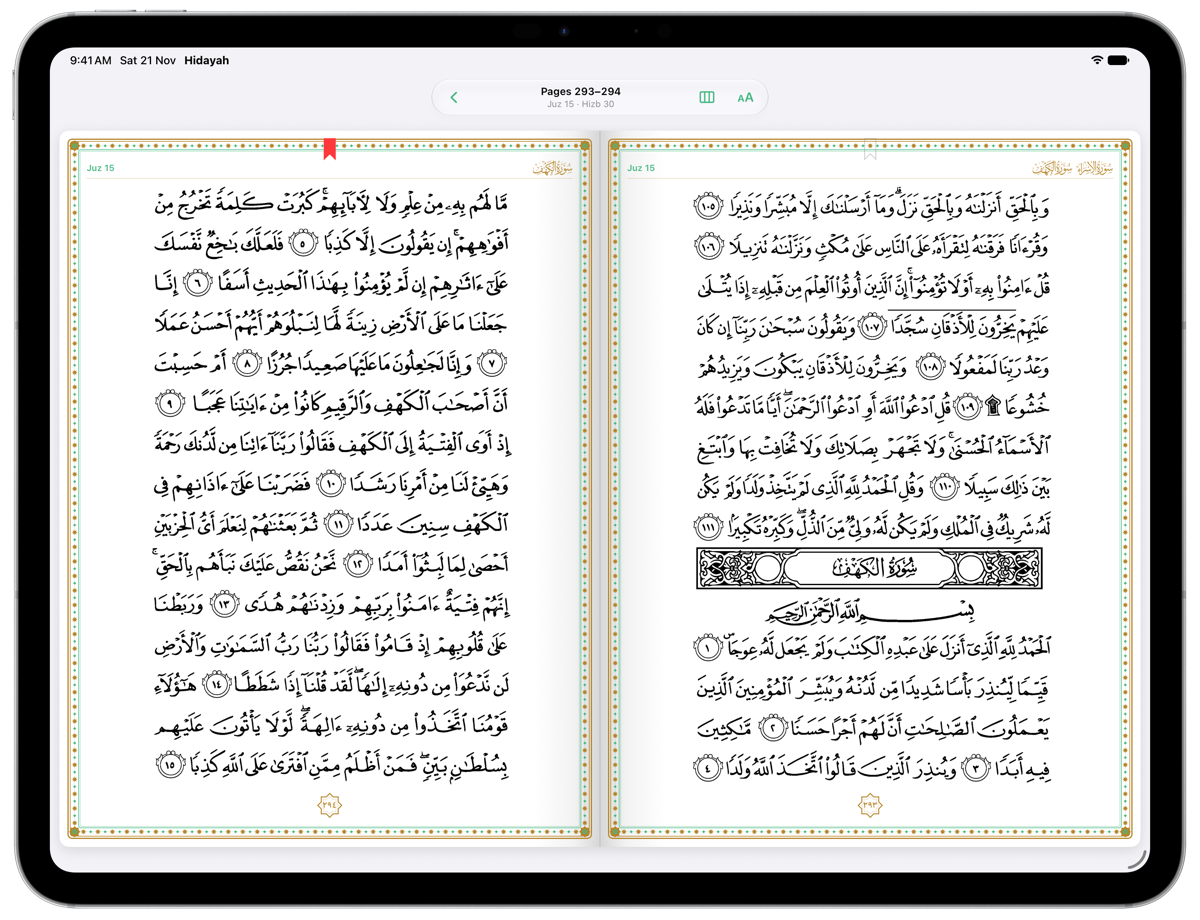
Mushaf Mode
Turn the pages of a printed-style Mushaf with juz and hizb markers. On iPad it opens like a book, two pages side by side.
How to use →

Al-Mathurat
Morning and evening Al-Mathurat Sughra, with a counter for each dhikr and a progress bar so you never lose your place.
How to use →
Tasbih
A digital tasbih in your pocket. Tap anywhere on the screen to count Subhanallah, Alhamdulillah and Allahu Akbar, or count freely.
How to use →

Istiqamah Tracker
Tick off your daily deeds, keep your streak, earn points and badges, and look back at your progress on a calendar.
How to use →
Home Screen Widgets
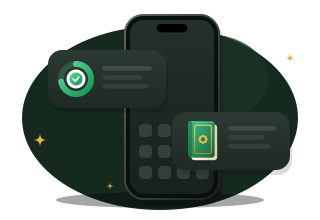
See today's tracker progress and open your favourite surahs in one tap, right from your Home Screen.
How to use →

Qibla Compass
Face the right way for every prayer, wherever you are. Turn until the compass points to the Kaaba, and feel a gentle tap when you're facing the Qibla.
How to use →
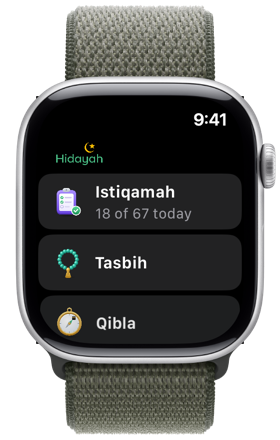
Apple Watch
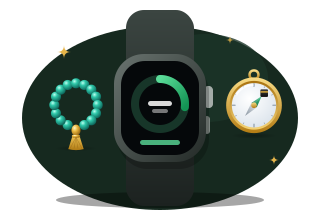
Tick off your Istiqamah tasks, count your dhikr and find the Qibla from your wrist. Your tracker stays in sync with your iPhone.
How to use →A quick guide to every feature
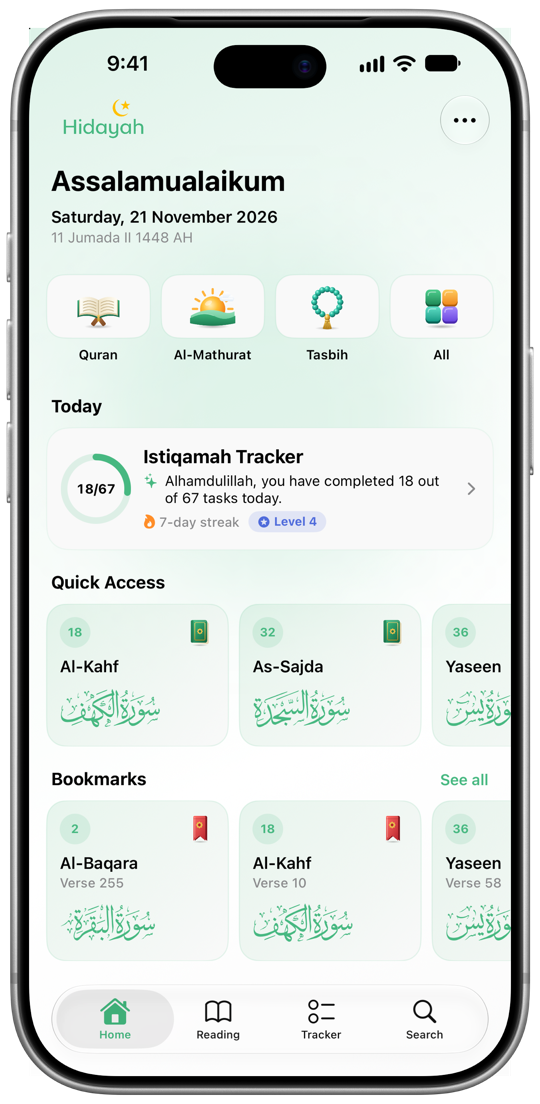
Pick a feature to see the steps. Hidayah has four tabs: Home, Reading, Tracker and Search. Home has shortcuts to the Quran, Al-Mathurat and Tasbih, and All opens Explore, a list of every feature, including Qibla.
Reading the Quran
The Quran lists all 114 surahs. Open any surah to read it verse by verse with translation and audio.
Open and read a surah
- Tap Quran on Home, or open the Reading tab and choose Quran. Then tap a surah from All Surahs, or from Quick Access at the top.
- The header card tells you what the surah's name means, how many verses it has and whether it was revealed in Makkah or Madinah.
- Tap Recitation or Translation to pick your reciter and translation language.
- Under each verse, tap play to listen to it, share to send it to someone, or bookmark to save it.
Make reading comfortable
- While reading, tap the Aa button at the top right to open Reading Settings.
- Drag Arabic Text Size until the preview looks right, and turn Show Translation on or off.
- Tap Done. Your settings are kept for every surah.
Bookmarks and search
- Your latest bookmarks are on Home. Tap See all, or the bookmark icon at the top of the Quran list, to see all your Saved Ayahs and jump straight back to them.
- Use the Search tab to find a surah by name or number, or to find a dhikr in Al-Mathurat.
Reading in Mushaf mode
Prefer the look of a printed Quran? Switch to Mushaf mode to read full pages with juz and hizb markers.
Switch to Mushaf
- Open any surah and tap Aa to open Reading Settings.
- Under Reading Mode, choose Mushaf.
- Choose how pages turn: Swipe turns one page at a time like a printed copy, and Scroll shows the pages one under another.
Find your way around
- Tap the page once to show or hide the toolbar.
- Tap Go To to jump by Surah, Juz, Page number or to one of your Bookmarks.
- Tap the bookmark button in the toolbar to save the page you're on.
On iPad and wide screens
- Under On Wide Screens, choose Two Pages to open the Mushaf like a book, or One Page for larger text.
- This works on iPad, an unfolded foldable phone, or an iPhone turned on its side.
Reciting Al-Mathurat
Al-Mathurat is a collection of dhikr and du'a taken from the Quran and the Sunnah. Hidayah includes Al-Mathurat Sughra for the morning and the evening.
Recite your daily wird
- Tap Al-Mathurat on Home or in the Reading tab, and choose Morning or Evening.
- Read each dhikr from top to bottom. Each one shows the Arabic text and its meaning.
- Tap the counter on a dhikr each time you recite it. It shows how many you've done, such as 1 of 3.
- The banner at the top shows how much of the session you've completed. Tap it to scroll back to the top.
Share a dhikr
- Tap the share button on any dhikr to send it by message or to social media.
Counting with the Tasbih
A simple counter for your dhikr after salah or at any time of day. No beads to lose.
Count your dhikr
- Tap Tasbih on Home, or find it in Explore.
- Choose Subhanallah, Alhamdulillah or Allahu Akbar. Each one counts to 33.
- Tap anywhere on the screen to count. You'll feel a gentle tap with every count, so you can keep your eyes off the screen.
- Finish all three to complete 99 dhikr, then tap Start Again for another round.
Free count and reset
- Choose Free count to count without a limit, for istighfar or salawat.
- Tap Reset to start your count from zero.
Building istiqamah with the Tracker
Istiqamah means being steadfast. The tracker helps you keep small, consistent deeds every day. It starts with ready-made categories for each prayer time, waking up and going to sleep.
Track your day
- Go to the Tracker tab, or tap the Istiqamah Tracker card on Home. The Today card shows how many tasks you've completed, your streak, level and points.
- Tap the circle next to a task to tick it off. Tap it again to undo.
- Tap the calendar to see past days, marked Complete, Partial or Missed. Tap a day to see what you did.
Add your own tasks and categories
- Tap the + button and choose Add Task. Give it a name, such as "Read Quran after Fajr", and pick a category.
- Or choose Add Category to group tasks together, such as "Evening Adhkar", and pick an icon for it.
- Tap Edit to rename a task, move it to another category or delete it. You can also swipe left on a task to delete it.
Points, levels and badges
- Earn 10 points for each task you complete, plus a 50-point bonus when you complete every task in a day.
- Points move you up through 10 levels:
- Unlock badges such as First Step, One Week, Perfect Day and Century. Open Achievements to see them all and share your progress.
Choose when your day starts
- Open Settings and tap Tracker Settings.
- Set New Day Starts to the time your tasks should reset. If you often pray Tahajjud or finish tasks after midnight, pick a later time so they still count for the same day.
Adding widgets to your Home Screen
Hidayah has two widgets. Istiqamah Tracker (small and medium) shows today's progress and your upcoming tasks. Quick Surahs (medium) opens your favourite surahs in one tap.
Add a widget
- Touch and hold an empty area of your Home Screen.
- Tap Edit, then Add Widget. On older versions of iOS, tap the + button.
- Search for Hidayah and choose Tracker or Quick Surahs.
- Choose a size, then tap Add Widget.
Choose your Quick Surahs
- Touch and hold the Quick Surahs widget.
- Tap Edit Widget.
- Tap Surahs, search for a surah and choose up to three, such as Al-Kahf, Yasin and Al-Mulk.
Finding the Qibla
Wherever you are, the Qibla compass shows which way to face for your prayer.
Face the Qibla
- Open Qibla from Explore: tap All on Home, then Qibla.
- The first time, tap Allow Location so Hidayah can work out the direction of the Kaaba from where you are.
- Hold your iPhone flat in front of you and turn slowly. The compass tells you whether the Qibla is to your left or right.
- When the needle points to the Kaaba, the screen shows Facing and you'll feel a gentle tap.
If the direction looks wrong
- Move your iPhone in a figure 8 to calibrate the compass, and keep it away from magnets and metal.
- If location is off, turn it on for Hidayah in the Settings app.
Using Hidayah on Apple Watch
The Watch app brings three features to your wrist: the Istiqamah Tracker, Tasbih and Qibla.
Get started
- Install Hidayah on your iPhone. The Watch app comes with it; if it doesn't appear, open the Watch app on your iPhone and install Hidayah from there.
- Open Hidayah on your iPhone once so your tracker comes across to your Watch.
On your wrist
- Istiqamah: see today's progress, streak and level, then swipe up to tick off tasks. Every tick syncs back to your iPhone.
- Tasbih: tap the screen or turn the Digital Crown to count.
- Qibla: hold your wrist flat and turn until you're facing the Kaaba.
Reminders & settings
Open Settings with the ⋯ button at the top of Home to set up reminders and your reading defaults.
Reminders
- Al-Kahf Reminder: a reminder every Friday to read Surah Al-Kahf. It's on by default, and you can turn it off at any time.
- Istiqamah Reminders: encouragement through the day as you work through your tracker tasks.
- When iOS asks, allow notifications from Hidayah so the reminders can reach you.
Quran defaults
- Set your default Recitation and Translation so every surah opens the way you like.
- Open Reading Settings to choose List or Mushaf mode and your Arabic text size.
More
- Feedback opens an email to us. We read every message.
- What's New shows the latest features again.


Questions, answered
Which devices does Hidayah work on?
Hidayah works on iPhone and iPad running iOS 17 or later, and on Apple Watch with watchOS 10 or later. On iPad and wide screens, the Mushaf can show two pages side by side.
Do I need an account?
No. There's no sign-up. Your bookmarks, tracker progress and settings are saved on your device.
Can I use it without internet?
The Mushaf, Al-Mathurat, Tasbih, Qibla and Istiqamah Tracker all work offline. Surah text, translations and recitation audio in List mode need an internet connection.
I pray Tahajjud after midnight. Will it count for the next day?
Not if you don't want it to. In Settings → Tracker Settings, set New Day Starts to a later time, such as 4:00 AM, and anything you tick off before then still counts for the same day.
How do I send feedback or report a problem?
Open Settings in the app and tap Feedback, or email us at mohammadhasifafiq@gmail.com.

Begin your journey with Hidayah
Download Hidayah on the App Store and make the Quran and dhikr part of every day.
Download on theApp Store